Common Errors and Troubleshooting Scan Errors
Edit on GitHubThis page is intended for all users running scans and need help resolving errors that occur during the scan process. While most scans complete without issue, you may occasionally encounter Scan Errors. These occur when the crawler is unable to successfully reach or process a specific URL in your list.
Identifying Errors
If issues were detected during a scan, an alert badge will appear directly below the scan timestamp indicating the number of errors (e.g., "80 Errors During Scan").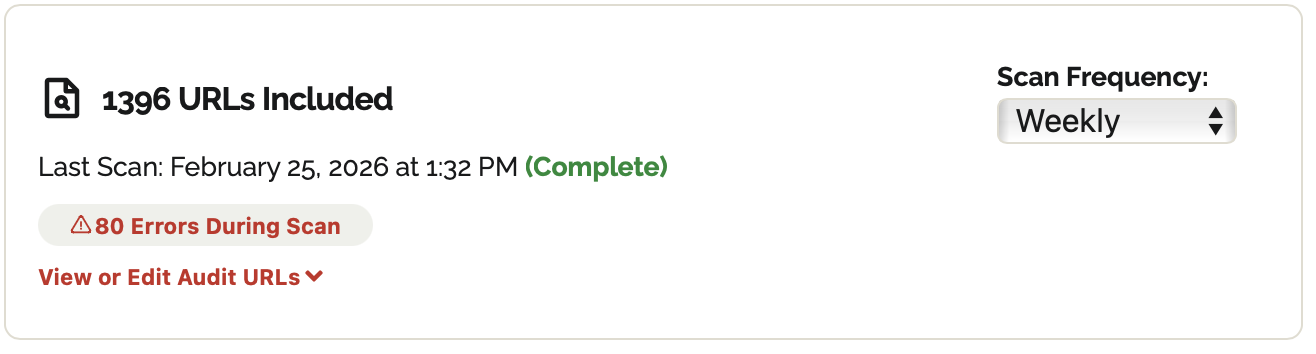
Viewing Error Details
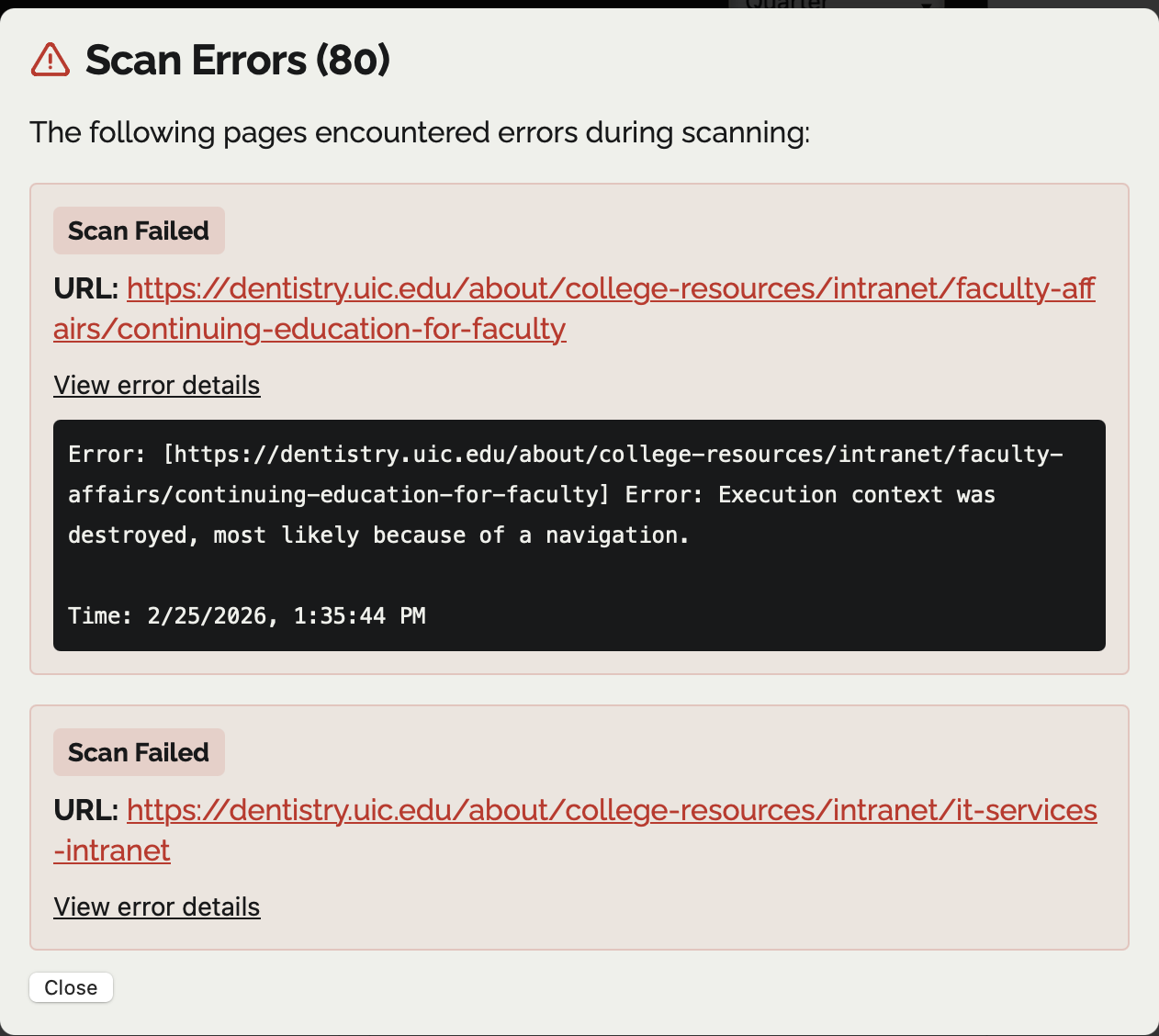
To investigate why specific pages failed:- Click the Errors During Scan badge.
- A Scan Errors modal will appear, listing every URL that failed.
- Each entry includes the specific URL and a "View error details" dropdown.
- Review the technical log (e.g., "Execution context was destroyed") to determine if the issue is a broken redirect, a server timeout, or a page that requires authentication.
💡Tip: Some scan errors are temporary. If you see a high number of failures, try re-running the scan during off-peak hours to ensure server stability. If the error persists over an extended period, please file a bug report or reach out to your administrator.
Scan Timeouts
Very large audits can take several hours, because Equalify scans the pages in an audit one after another. A scan is only given up on when no page has reported back for a full hour. When that happens:- A Scan Timed Out notice appears above the blockers chart. It says how many of the audit's pages were never scanned.
- Each page that was never scanned appears in the Errors During Scan list with a Not Scanned (Timeout) label, so you can see exactly which URLs are missing from the report. (If more than 500 pages are affected, the first 500 are listed and the notice gives the full count.)
- Results for every page that was scanned are kept and shown as usual.
💡Tip: If you start a new scan while an earlier scan of the same audit is still running, the new one waits its turn and its progress bar will not move until the earlier scan finishes. That is expected and does not count as a timeout.